Introduction:
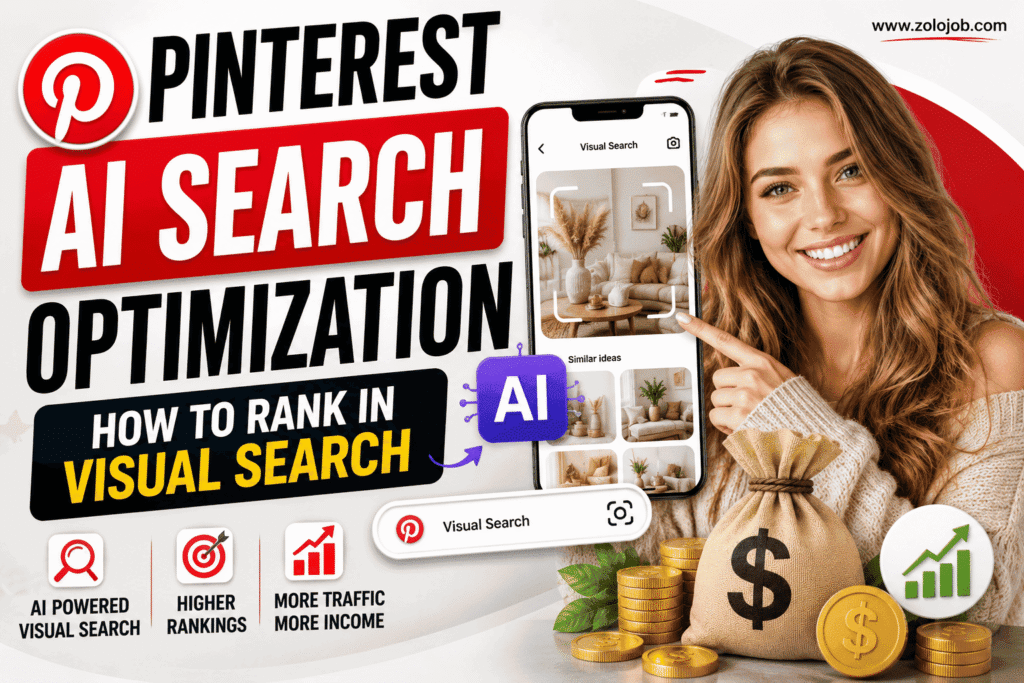
- These days, “Pinterest AI Search Optimization is very crucial”.No longer is it a place for collecting ideas. In 2026, Pinterest is an advanced visual search engine with AI.
- With millions of users searching by images, Pinterest AI Search Optimization is now a crucial strategy for anyone from creators to bloggers, affiliate marketers, and businesses.
- Pinterest’s artificial intelligence is able to identify objects, colors, styles, text, and even the theme of an image.
- Relying on keywords alone, Pinterest considers all aspects of your Pin to determine where to place it in both search results and recommendations.
- In a world where Pins are increasingly shaping online content, understanding how Pinterest AI Visual Search works becomes a must-have. With Pins becoming a significant force in online content, generating clicks and ensuring consistent website traffic becomes essential, so knowing how Pinterest AI Visual Search works is a must-have. It is necessary.
- This guide will teach you how Pinterest AI ranks Pins and the best tips to optimize your Pins to be seen in Pinterest Visual Search.
What Is Pinterest AI Search?
- Pinterest AI Search is a machine learning tool that can be used to find content based on both image and text.
. Pinterest analyzes keywords for matching:
- Colors
- Objects
- Backgrounds
- Product styles
- Text inside images
- User interests
- Search history
- Saved Pins
- Engagement patterns
- This means that Pinterest can suggest relevant Pins even if users don’t type the exact word.
- For instance, when someone types “home office,” Pins for minimalist desks, ergonomic chairs, and pretty workspaces and productivity setups might also appear in their search results. Pinterest AI recognizes the visual linkage between these ideas.
How Pinterest Visual Search Works:
- Pinterest is scanning every image that is uploaded to the site with computer vision.
. The AI identifies:
1. Objects
- It is aware of things such as:
- Laptops
- Shoes
- Dresses
- Plants
- Furniture
- Kitchen tools
2. Colors
- Colors are recognized and matched by Pinterest.
- Examples include:
- home decor
- Black outfits
- Green kitchen ideas
- White minimalist bedrooms
3. Style Recognition
- The AI can recognize design styles, including:
- Minimalist
- Vintage
- Modern
- Luxury
- Scandinavian
- Bohemian
4. Text Recognition
- Inside your Pin, there’s text that Pinterest can read.
- This implies that titles that you add to your image are yet another positioning signal.
- Pinterest can better comprehend your content when it’s easy to read.
Why Pinterest AI Search Matters:
- Pinterest’s traffic is growing: Visual Search is one of its traffic sources.
- When users are typing long keywords, they can:
- Tap an image
- Click on an object to zoom in on it. Click the + to zoom in.
- Search products
- Discover matching styles
- Find ideas instantly
- This is a great way for bloggers and affiliate marketers to be seen by more highly targeted customers who are already interested in your niche.
- When visibility is increased, there will be an increased risk of:
- More impressions
- More saves
- Outbound clicks
- Better affiliate conversions
- Increased website traffic
How Pinterest AI Decides Which Pins Rank:
- There are some signals that Pinterest considers before displaying a Pin in search.
1. Image Quality
- Vertical images have a superior resolution in the resolution mode.
- Recommended size:
- 1000 × 1500 pixels
- Don’t use blurry, pixelated, or stretched images.
2. Keyword Relevance
- Pinterest is still using keywords in addition to AI visual recognition.
- Insert your keyword in:
- Pin title
- Pin description
- Board title
- Board description
- Image filename
- Alt text
3. Text Overlay
- A title for your Pin helps to increase user engagement and AI comprehension.
- Examples:
- SEO Guide
- AI Pinterest Tips
- Visual Search Optimization
- Pinterest Marketing Strategy
4. User Engagement
- Pinterest tracks the actions users take with your Pins.
- Some of the key engagement signals are:
- Saves
- Outbound clicks
- Close-up views
- Shares
- Comments
- Time spent viewing
- Pins that have engagement are more likely to get better rankings after some time.
5. Fresh Content
- Pinterest values Pins over uploads.
- Fresh content includes:
- New designs
- Updated graphics
- Different headlines
- descriptions
- New URLs
- You can reach more people by making several different Pins for a given blog post.
Best Practices for Pinterest AI Search Optimization:

- In this guide, you will learn some of the best practices for optimizing your Pinterest business and posts to achieve better visibility in search results.
1. Use High-Quality Vertical Images
- Make sure to use high-quality vertical images.
- Content is what Pinterest loves because it takes up more Pinterest real estate.
- Best practices include:
- lighting
- Sharp images
- Clean backgrounds
- Professional graphics
- High resolution
2. Write Descriptive Pin Titles
- Don’t write general titles such as:
- “Pinterest Tips”
- Use descriptive titles, e.g.
- Pinterest AI Search Optimization: How to Rank in Visual Search
- Specific titles, as long as they’re longer, will give more context to both users and Pinterest AI.
3. Create a Compelling Pin Description
- Make your pin description more engaging. Create a compelling pin description.
- A description should:
- Describe the material in a clear way
- Use the word “naturally” to apply the word to the keyword.
- Mention keywords
- Encourage users to click
- Don’t keyword stuff – this could make the text less readable and less effective.
4. Fill in Relevant Text in Images
- Pinterest’s Optical Character Recognition is able to recognize text within an image.
- Write headings that are similar to the blog topic.
- Don’t use fonts that are hard to read.
5. Create Consistent Branding
- Using consistent:
- Colors
- Fonts
- Logo placement
- Design style
- Helps users identify your content and can help gain trust over time.
6. Create Meaningful Boards for Organizing Pins
- Create meaningful boards for organizing pins.
- Besides, Pinterest also analyzes the board to which a Pin is pinned.
- Consider descriptive board names such as:
- Pinterest Marketing
- Pinterest SEO
- Affiliate Marketing
- Blogging Tips
- Social Media Strategy
- An organized profile will offer more context for Pinterest AI.
Common Mistakes That Hurt Pinterest Visual Search Rankings:
- The following are some common mistakes that can negatively impact your page ranking for visual search on Pinterest.
- Many creators make optimization mistakes that negatively affect their visibility, without even realizing it.
- Common errors include:
- Using low-quality images
- Uploading horizontal Pins
- Writing titles
- Ignoring Pin descriptions
- Stuffing keywords
- Using fonts
- Repeating Pins over and over again
- Capturing images to boards.
- Inconsistent branding
- Failing to prioritize the creation of new material and content
- By steering clear of these pitfalls, you can make the most out of your Pinterest journey in the long term.
Future of Pinterest AI Search:

- Pinterest is still pushing the boundaries of intelligence, visual recognition and personalised recommendations.
. Prominent Features Planned for the Future
- Smarter object recognition
- Better shopping recommendations
- The personalized search results are improved.
- Product discovery
- Enhanced AI comprehension of design trends
- In-built analytics tools that track transactions and activities with details throughout the entire customer journey
- High-quality visuals, relevant keywords and content that is focused on the user will most likely earn organic visibility as AI advances as creators.
Final Thoughts:

Pinterest AI Search Optimization is revolutionizing the way content is found on the platform. Adding keywords is not enough for success in 2026. It involves making enticing, informative, and relevant Pins that Pinterest’s AI is able to see, read and understand. By combining quality vertical images, descriptive titles, readable text overlays, strategic keyword placement, relevant boards and fresh content, you can improve your chances of ranking in Pinterest Visual Search and reaching a larger audience. Whether you are a blogger, affiliate marketer, or business owner, mastering Pinterest AI Search Optimization can help increase impressions, website traffic and organic term growth. Creators who regularly create content optimized for visuals will be well equipped to stay ahead of the curve with Pinterest’s AI.